
Built around the art department’s working day
From the first recce photo to the last return, everything stays with the production it belongs to.
Lens for iPhone
Shoot props where you find them
Link your phone once from your account settings. Lens follows the project you have open, and keeps photos on the phone until there’s signal.
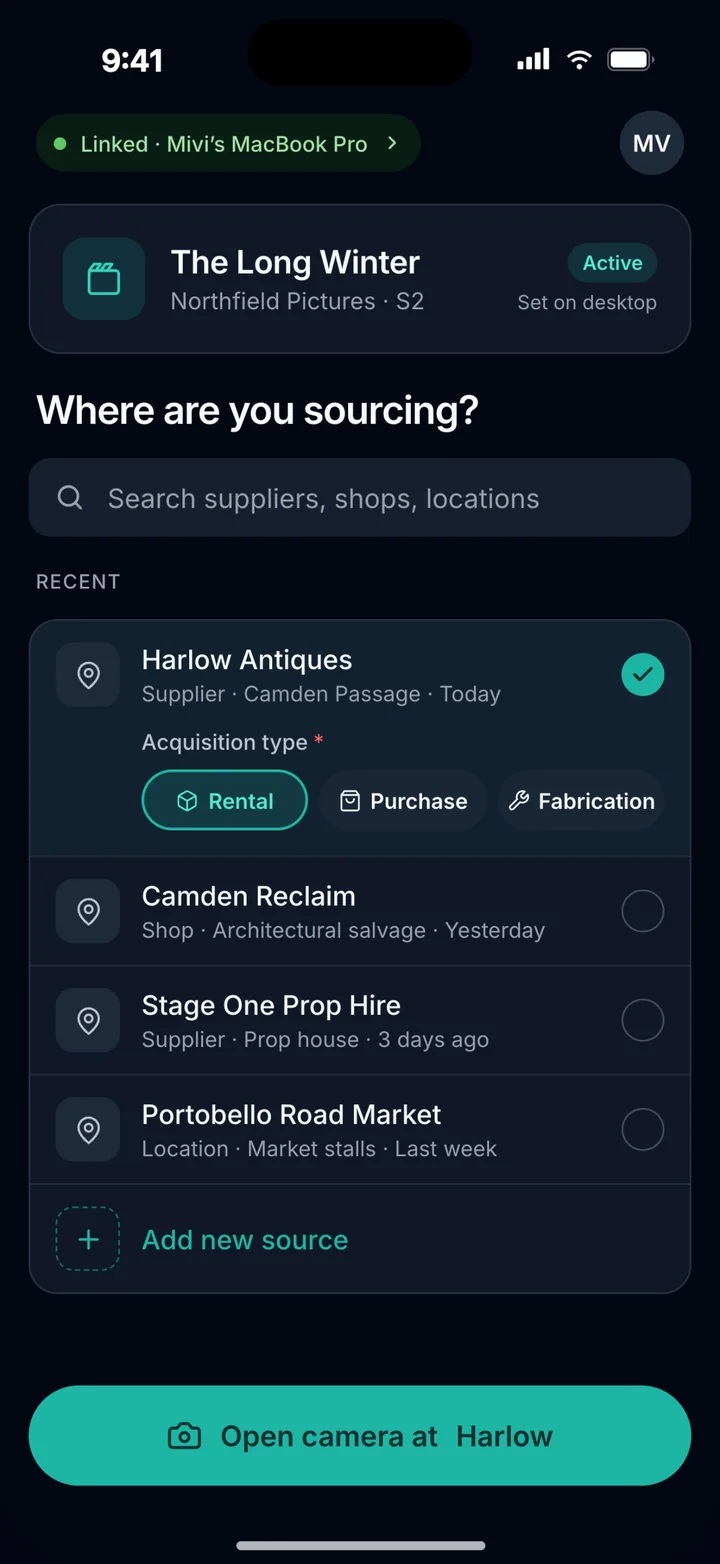
1 Pick the source
The supplier, shop or location you’re at.
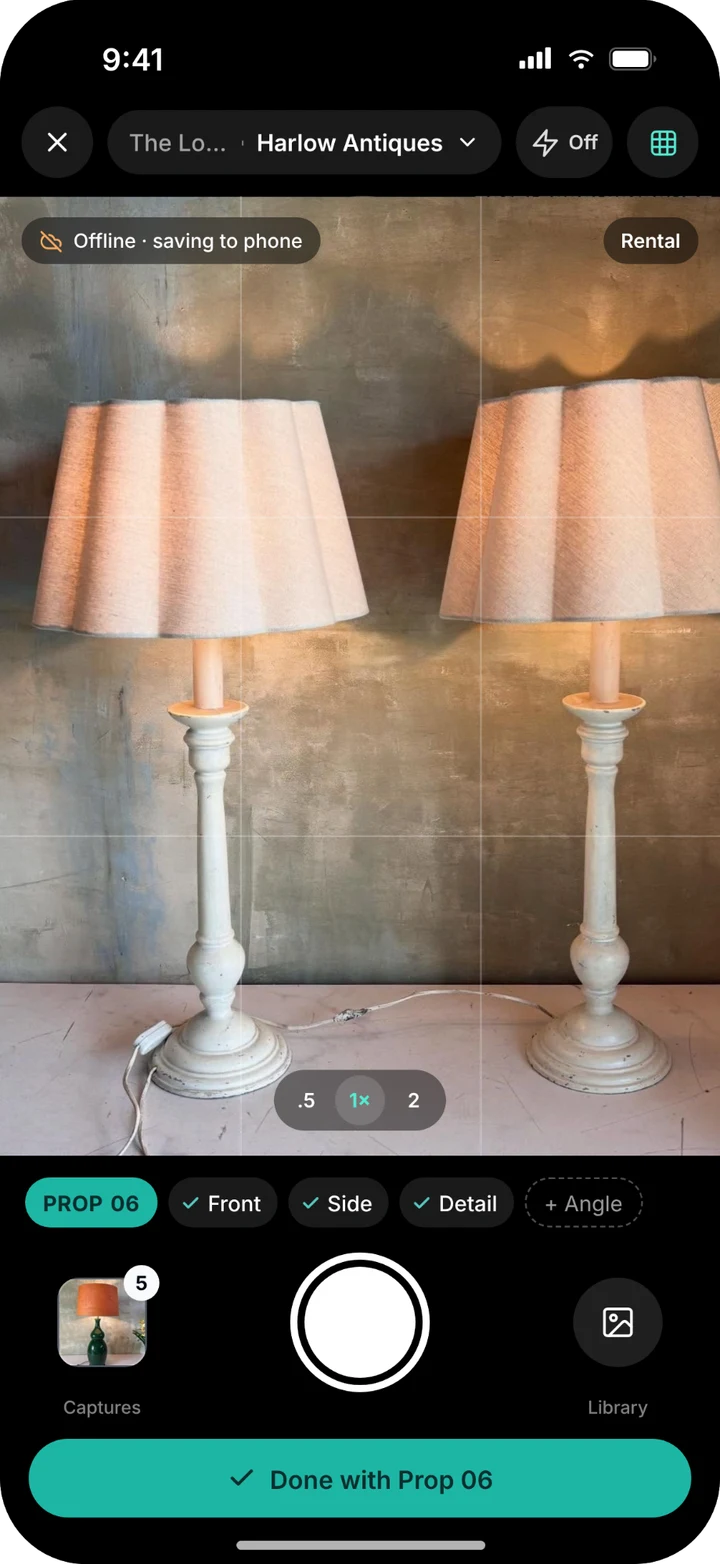
2 Shoot every angle
Front, side and detail. No signal is fine.
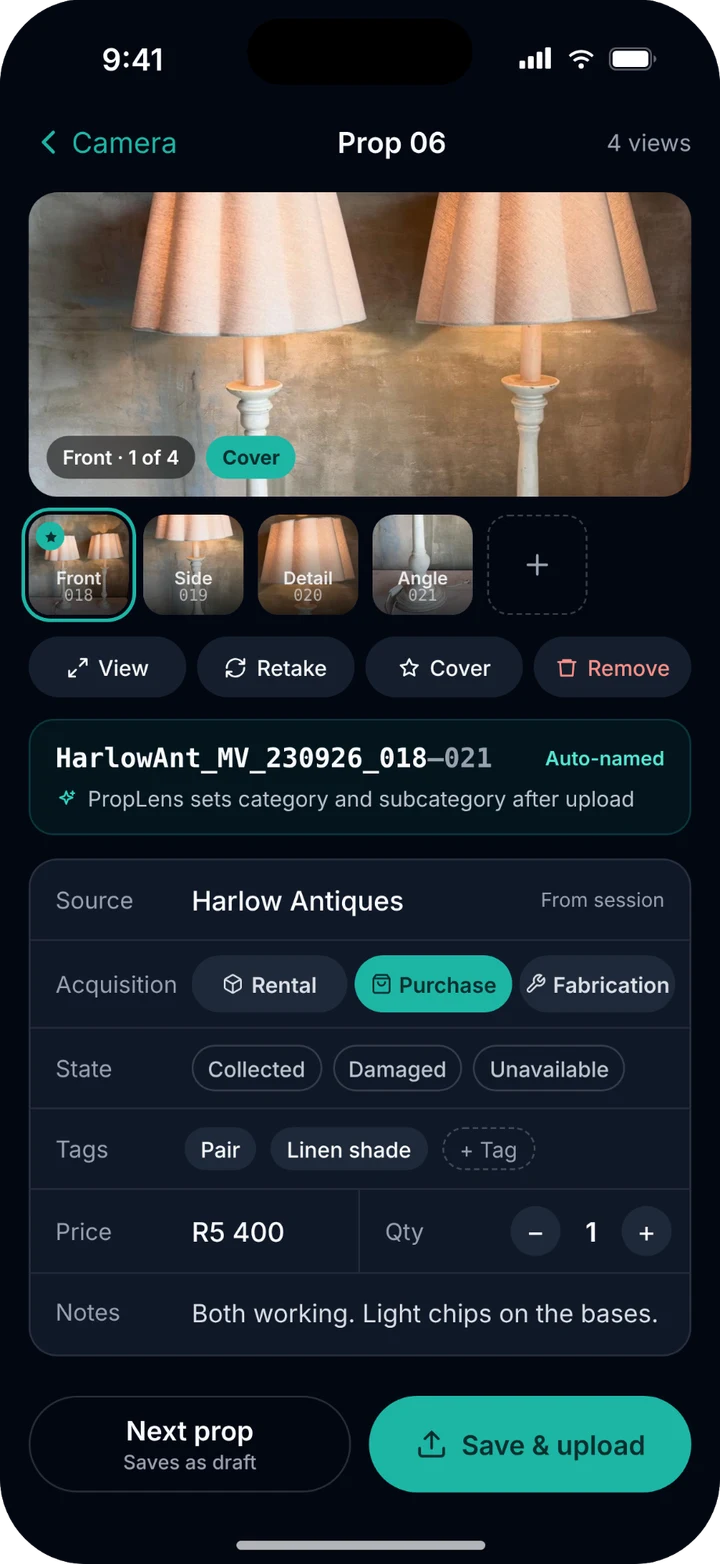
3 Check it and send
Name, price and tags, then it uploads.
Prop library
Every prop photo, filed where you can find it
Drop in one photo or a whole recce folder. PropLens suggests groups and categories, and nothing goes into the library until you approve it.
- Search and filter across the project
- Supplier and set on every prop
- Selected, shortlist and hero marks
Sheets
Paperwork suppliers and designers can use
Export a booking sheet for each supplier with every prop you’re taking, a pickup list for whoever is collecting, or a contact sheet per set for the design meeting.
- Booking sheets per supplier
- Pickup lists for the crew collecting
- Contact sheets per set, as PDF
TasksPro plan
Know who’s chasing what
Every sourcing job gets an owner and a day. Each person has a column, and overdue pickups and returns stand out.
- Tagged source, collect, return or build
- Planner and table views
- My tasks, for each person’s day
SchedulePro plan
The production week on one page
Prep, shoot, wrap and strike days across the top, with each person’s calls and each set below. Share it, or export it.
- Rows for crew and for sets
- Daily checklists
- CSV and calendar exports
Also in PropLens
Suppliers
Hire houses, shops and makers with their details, linked to the props you got from them.
A project per production
Every show in one workspace, each with its own props, people and paperwork.
Crew roles
Invite crew by email. Admins set up the project, and everyone can source and upload.
Crew join free
Collaborators never pay. Basic includes four, and Pro has no limit.
Comments
Talk about a prop or a task where it lives, not in the group chat.
Locks after wrap
A week after the end date a project goes read only, so the record stays as it was.
Try it on your next show
7 days free on Basic or Pro. Your card is charged on day 8 unless you cancel.
Start free trialCompare plans